Job profit
See what each job is actually making
Labour, receipts and purchase orders land on the job as they happen, next to what you've billed. The dashboard rolls it up so you can see which work makes money.
In short
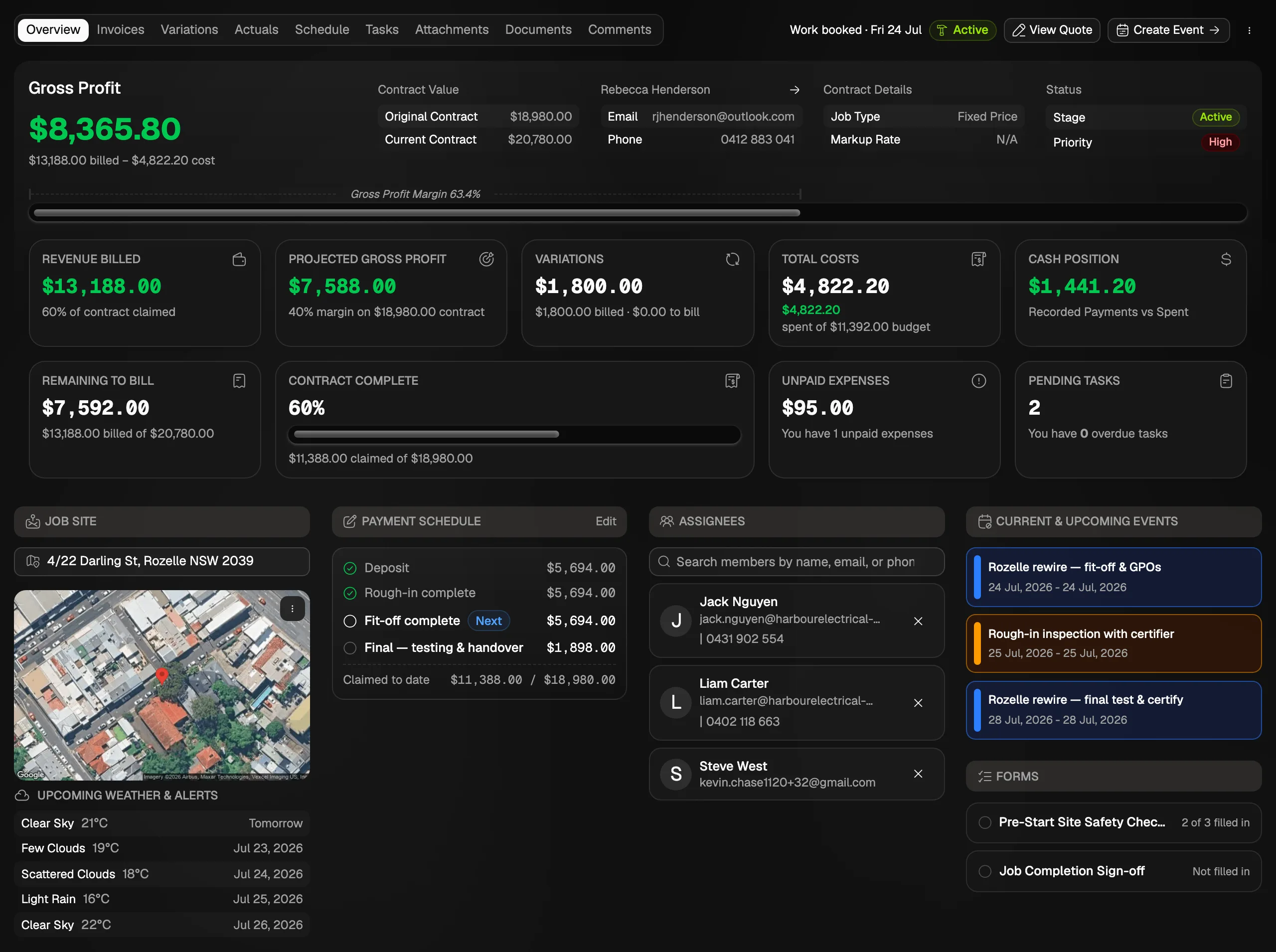
BuildrHub is job management software for Australian trades. It tracks profit on each job and across the business. Each job compares invoiced revenue with approved labour from timesheets and approved expenses, and fixed-price jobs also show the contract, what's left to bill and the projected profit. Jobs priced in a planner keep the original budget, so planned cost can be compared with purchase order prices and actual spend. The dashboard ranks every job by profit and margin and shows the value of work delivered against what's booked.
- Revenue
- Invoiced, ex GST, less credit notes
- Costs
- Approved labour and expenses
- Compared with
- The budget you won the job on
Job profit
What you get
Profit on every job, as it happens
Each job shows revenue against labour and material costs as they're approved, not at the end when it's too late to fix.
What's left on the contract
Fixed-price jobs show the contract, how much is claimed, what's left to bill and the projected profit at completion.
Against the budget you won on
Jobs priced in a planner keep the original estimate, so you see when purchase orders or real costs drift away from it.
Work delivered, not just invoiced
See the value of work completed each week against what's booked, so a quiet invoicing month doesn't hide a busy one on site.
Labour at what it really cost
Hours are costed at each person's cost rate, not their charge-out rate, so labour in the profit figure is what it actually cost you.
Cash and unbilled work
Each job shows its cash position, paid in against paid out, and time and materials jobs show work done that hasn't been billed yet.
How it works
From costs to answers
- 01
Costs come in
Timesheets, receipts and purchase orders are logged against jobs.
- 02
You approve them
Only approved costs count, so guesses and duplicates stay out.
- 03
Jobs update
Each job's profit, remaining to bill and cash position move with it.
- 04
The dashboard rolls up
See the whole business by month, with drill downs into the detail.
Job profit questions
2The things people ask before they switch.